

Designing Real-Time Availability Calendars for Booking Sites
The Heart of Every Booking Platform
The availability calendar is the most critical UI component on any booking website. It is where guests decide whether to book or leave. Get it right, and conversions soar. Get it wrong, and users bounce to a competitor.
Beyond Simple Date Picking
A real booking calendar is far more than a date picker. It needs to handle:
- Quantity-aware availability — If you have 3 cabins, the date is only "booked" when all 3 are reserved
- Multiple booking sources — Website bookings (pending), admin/manual bookings (confirmed), and iCal imports from Airbnb/Booking.com (confirmed)
- Minimum stay rules — Some properties require 2+ night stays
- Seasonal pricing — Rates change based on time of year with priority-based price overrides
- Booking season boundaries — Some accommodations are only available May through September
Quantity-Aware Conflict Detection
The trickiest part is availability checking. A naive approach marks a date as "booked" when any reservation overlaps. But if an accommodation has a quantity of 3, you need to count how many confirmed bookings overlap each specific date and compare against capacity.
Our system queries all confirmed bookings for a date range, groups them by date, and compares the count against accommodation.quantity. A date is only "fully booked" when all units are reserved.
Booking Status Flow
Bookings follow a clear lifecycle:
- Pending — Guest submits through the website
- Confirmed — Admin approves, or booking arrives via iCal sync
- Cancelled — Either party cancels
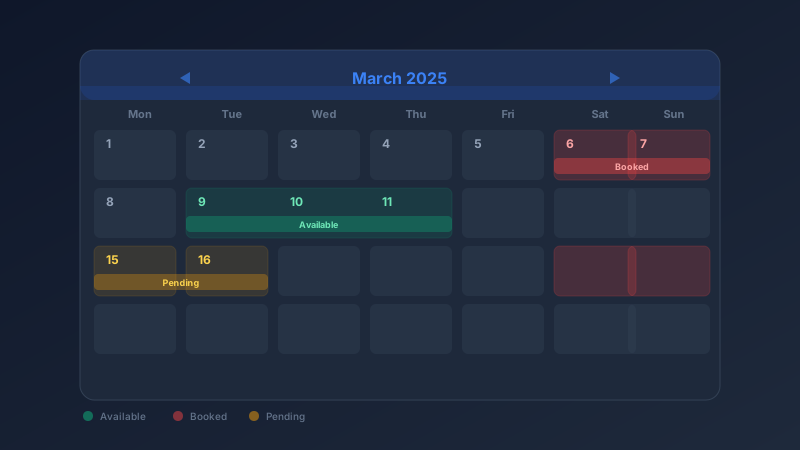
Payment tracking runs parallel: pending, paid, refunded, or failed. The calendar reflects confirmed and pending bookings differently — guests can see that a date is "tentatively held" versus fully booked.
Seasonal Pricing
Rates are not static. We implement a priority-based pricing system where seasonal overrides take precedence over base prices. A "Summer Peak" override for July might set the cabin price to 150 EUR/night, while the base price remains 80 EUR. The calendar displays the applicable price per night directly on each date cell.
Design Principles
- Color coding: Green (available), red (booked), yellow (pending), gray (past/blocked)
- Mobile-first: Single-month view on mobile with swipe, two-month side-by-side on desktop
- Show prices on the grid: Guests should see costs before selecting dates
- Highlight cheapest dates: Draw attention to the best deals
Edge Cases That Matter
- Checkout-day bookings: The checkout day of one reservation can be the check-in day of the next — this is available, not blocked
- Gap nights: A 1-night gap between bookings might not be bookable if minimum stay is 2 nights
- Validation: Check booking season boundaries, minimum stay length, and max guest count before allowing selection
Info
Keep the booking flow linear: select check-in, see valid check-out dates based on minimum stay, select check-out, review price breakdown, proceed to payment. Every extra click is a chance for the user to abandon.
On this page