

Making Your Tourism Website Multilingual with Paraglide.js
Why Multilingual Matters for Tourism
Tourism is inherently international. A resort in Latvia attracts guests from Germany, Lithuania, Russia, and beyond. If your website only speaks one language, you are invisible to a significant portion of your potential market.
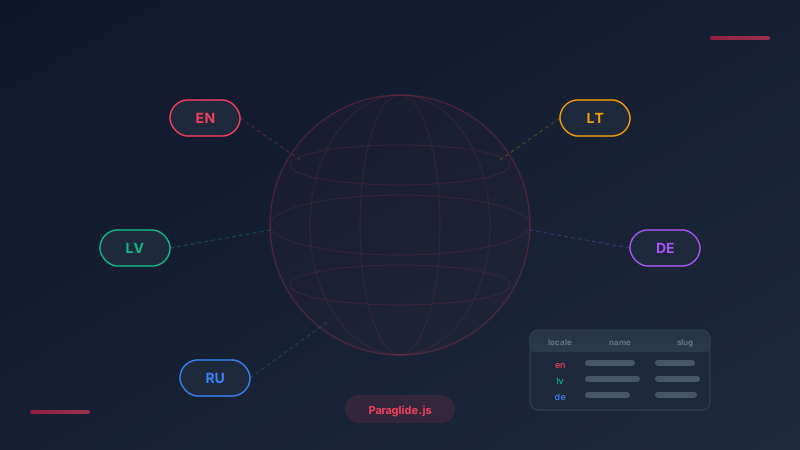
We implemented multi-language support across five languages: English, Latvian, Russian, Lithuanian, and German.
Two Layers of Translation
Multilingual websites need two distinct translation strategies — one for the UI, one for database content.
UI Translations — Paraglide JS v2
For static UI elements — navigation labels, button text, form labels, error messages — we use @inlang/paraglide-js (v2). It provides compile-time translation with zero runtime overhead, type-safe message keys that catch typos at build time, and tree-shaking that only bundles the languages a user needs.
Each language has its own message file. Paraglide generates type-safe functions for each message, so referencing a nonexistent translation key is a compile error — not a runtime bug.
We use path-based locale prefixes: /en/accommodations, /lv/accommodations, etc. This is the most SEO-friendly approach since each language version has its own indexable URL. As a fallback, the user's preference is stored in a locale cookie so returning visitors see their preferred language automatically.
A dropdown with country flags lets users change languages. The entire UI updates instantly. We currently support English, Latvian, Russian, and Lithuanian in the UI — German is supported in the data layer but disabled in the switcher until translations are complete.
Database Translations — The Translation Table Pattern
For dynamic content — accommodation names, descriptions, activity details — we use a companion _translations table in the database. The main table stores language-independent data (price, capacity, images), while the translations table stores localized text with a locale column and a unique constraint on (entity_id, locale).
A pickTranslation() helper resolves the best available translation: it tries the user's locale first, falls back to English if unavailable. This means you can launch with partial translations — English is required, other locales are optional.
Email Translations
We went a step further and translated all transactional emails too. Booking confirmations, pre-arrival instructions, and payment receipts are all sent in the guest's language. This required a separate translation system in the email package with complete translations for all five locales across all email templates.
SEO for Multilingual Sites
- hreflang tags on every page, pointing to all locale variants plus
x-default - Translated meta titles and descriptions — not just body content
- Dynamic sitemap with per-locale alternate links
- Separate submissions per language to Google Search Console
Info
Results
After launching the multilingual version, our client saw a 35% increase in bookings from non-English speaking markets within the first quarter. The investment in proper translation — UI, database content, and emails — paid for itself within weeks.
On this page