
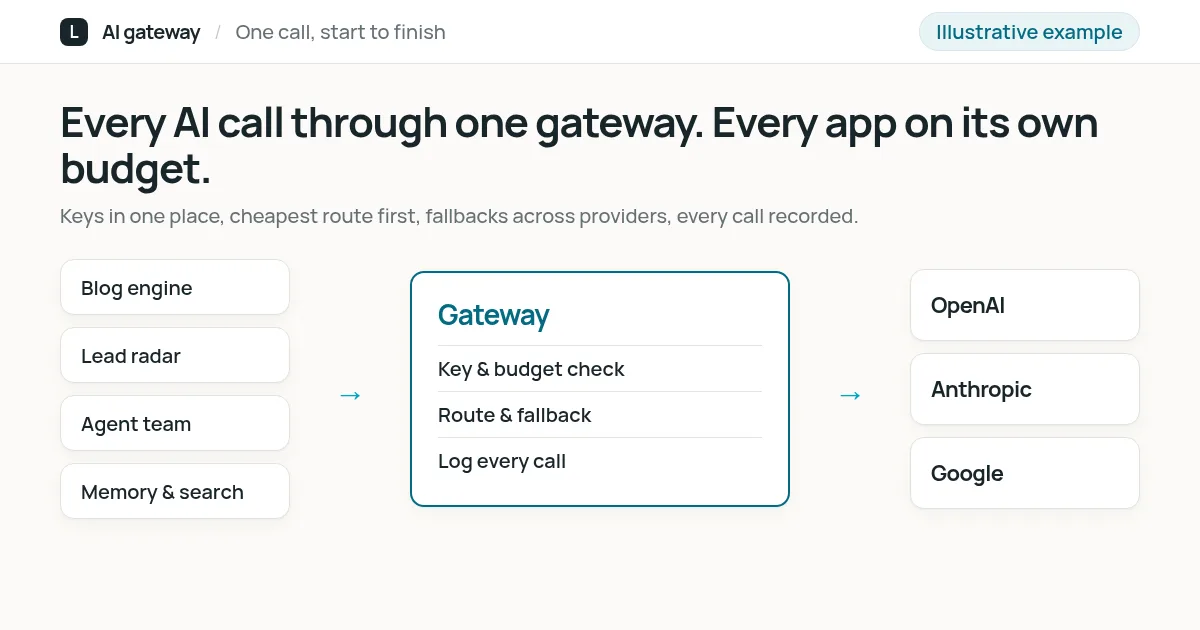
Every AI call our back-office systems make goes through one gateway: the blog engine, the lead radar, the agent team, and our memory and search tools. Each of them has its own key, its own list of allowed models and its own budget. The gateway picks the cheapest route that can do the job, switches provider when one is down, and records every call with its cost. We built it to keep our own AI spending predictable, and we set up the same kind of gateway for clients.
What it does for us
Once several systems use AI, the hard questions stop being about prompts. Which system spent the money this month? What happens when a provider is down? Who holds which API key, and what can it reach? The gateway answers them in one place:
- Spending we can predict. Each system has a monthly limit. When one reaches it, that system stops, and the others keep working.
- Cheaper routes first. Work that our existing subscriptions cover goes there first. Paid API calls are a fallback, used only where we allow them.
- No single provider to depend on. If one provider fails or is slow, the call moves to another model that can do the same job.
- Model changes without rebuilding. Apps ask for a model by name. Swapping the model or provider behind that name is a change in one file.
How the AI gateway works
Click through what happens to one AI call. The screens are simplified illustrations with example data.
Trigger
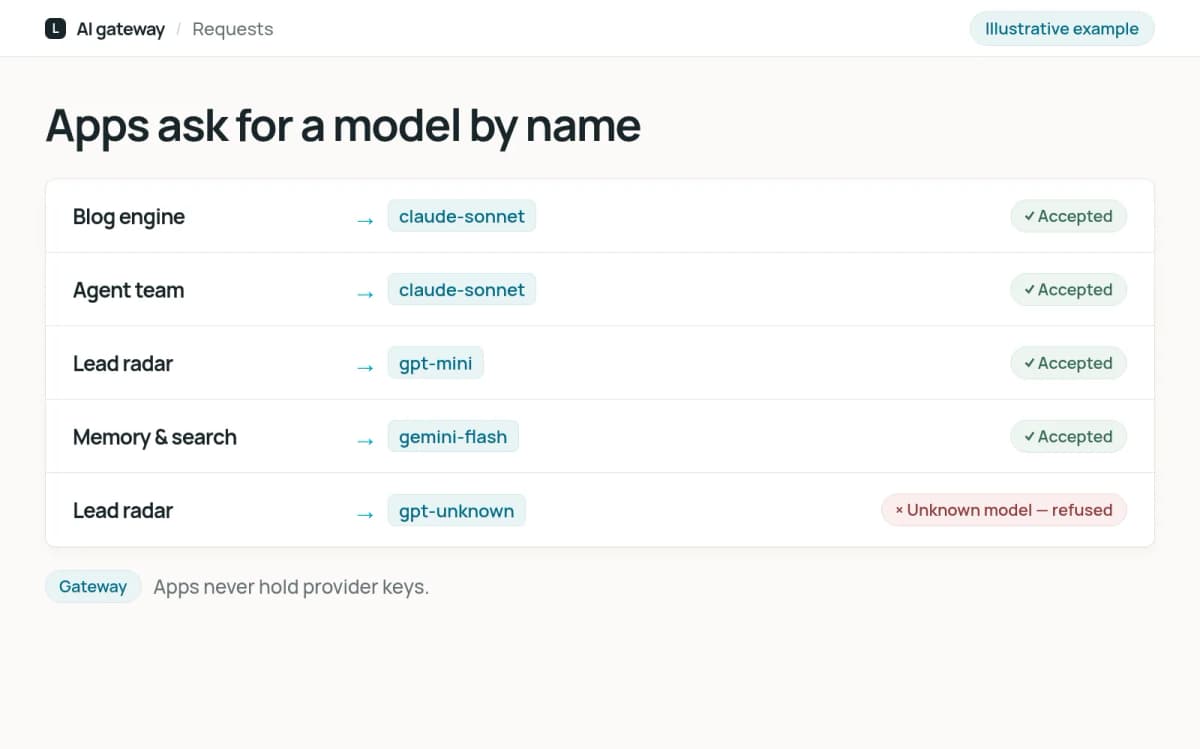
An app asks for a model
An app, such as the blog engine or an agent, asks the gateway for a model by name. It never talks to a provider directly and never holds a provider key. A name the gateway does not know is refused.
Prepared by the system
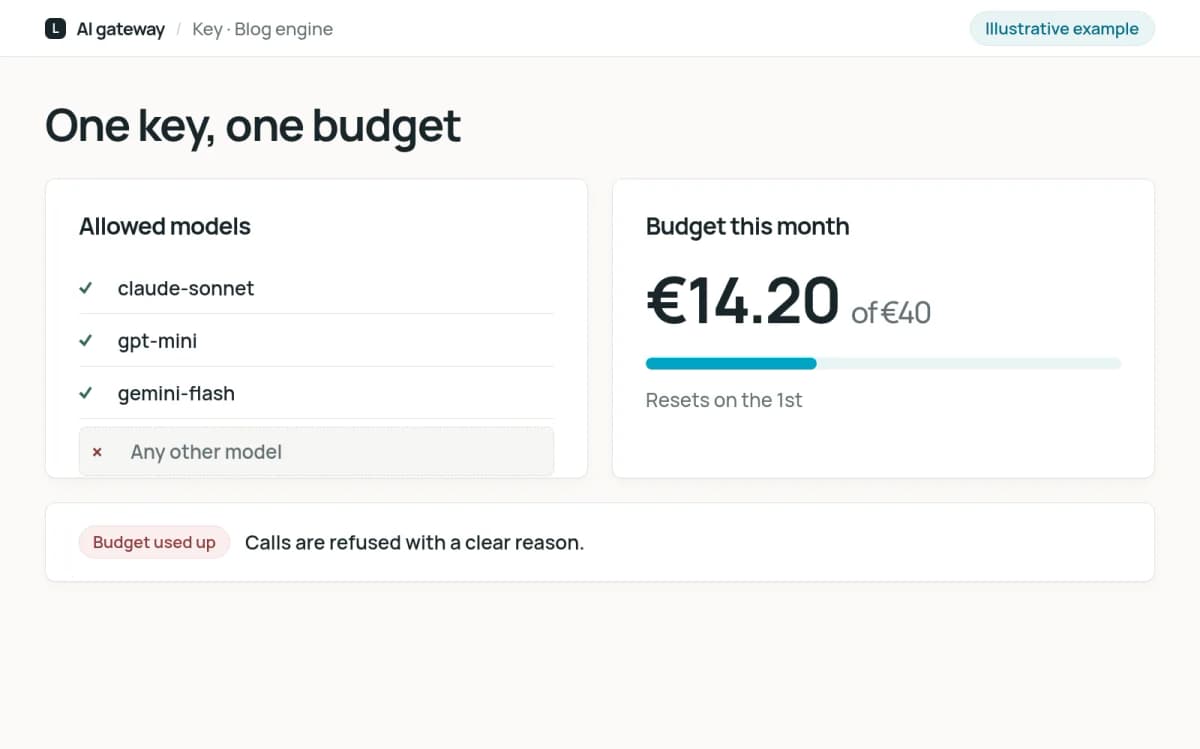
The key is checked
The gateway checks the app's own key: is this model on its list, and is there budget left this month? If not, the call is refused with a clear reason instead of quietly running up a bill.
Prepared by the system
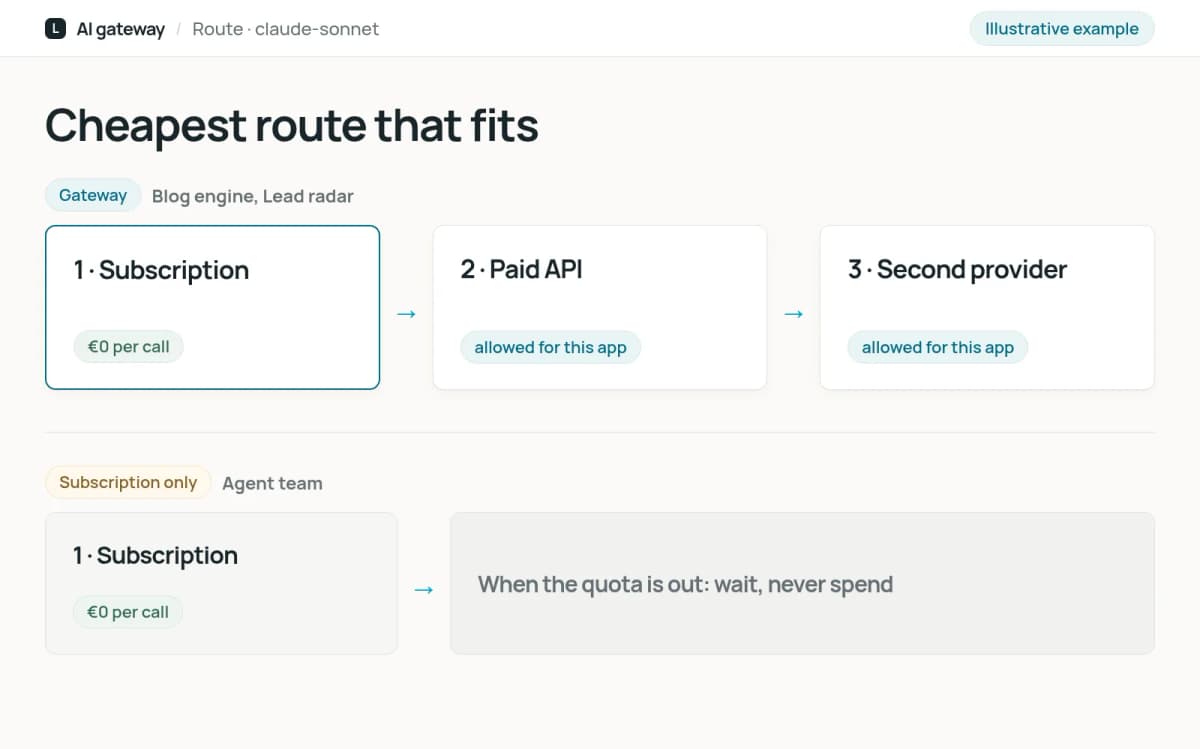
The cheapest route that fits
Each model name has a route: first a subscription we already pay for, then paid API access where we allow it. Some work, such as coding and research by our agents, is set to subscription only. When that runs out, the work waits instead of spending.
Prepared by the system
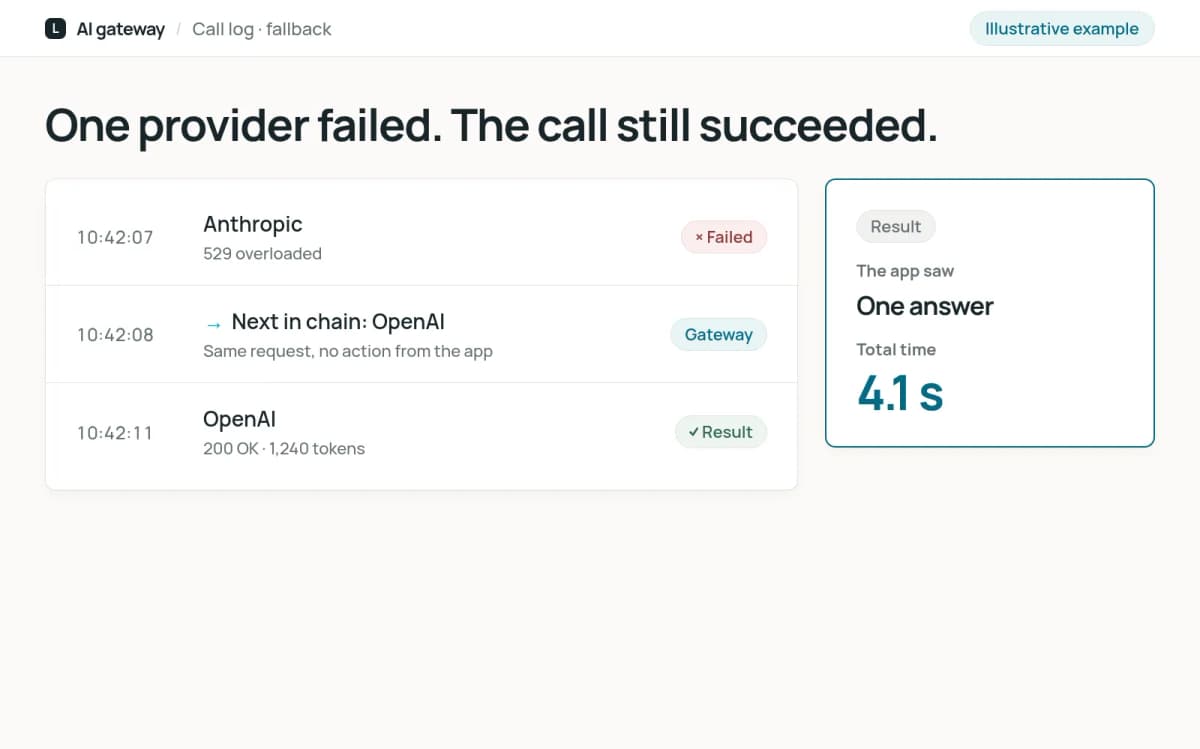
Fallback when a provider fails
If the first route is down, rate limited or too slow, the call moves to the next model in the chain, often from a different provider. The app gets an answer and does not need its own retry logic.
Result
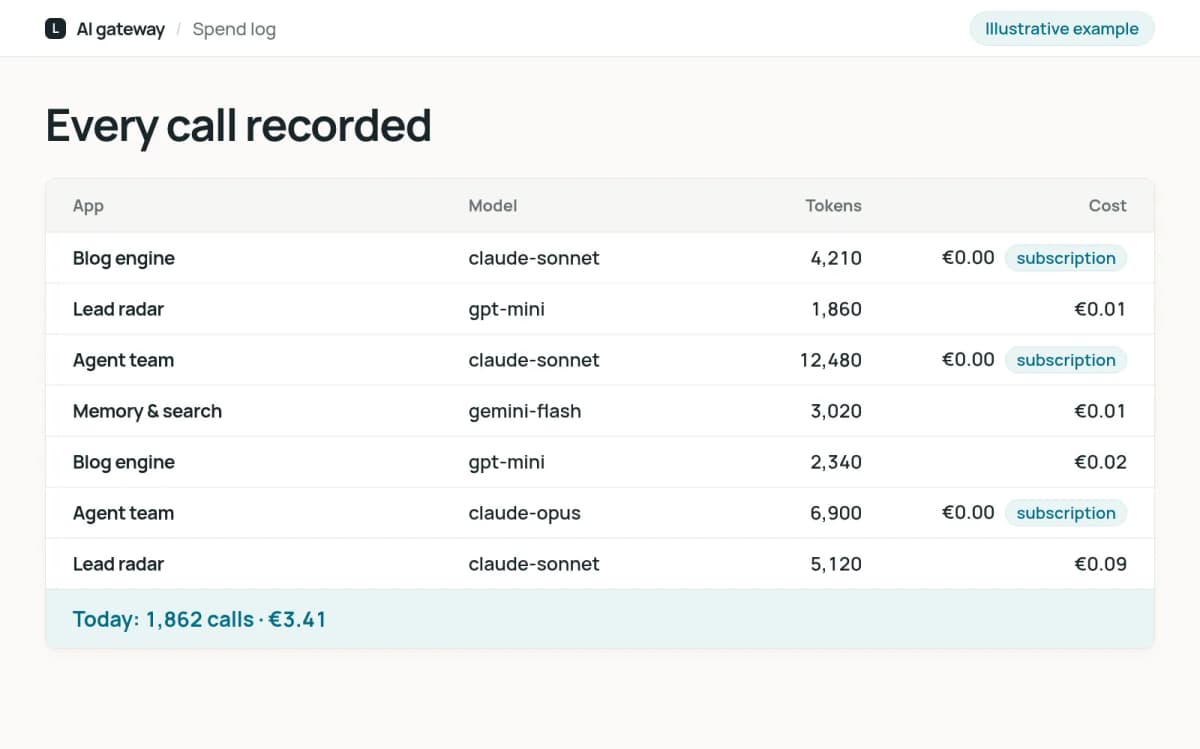
Every call recorded
Each call is logged with the app, model, tokens and cost. Calls on a subscription are logged too, at zero cost, so we can see who uses the shared quota and not only who spends money.
Checked by a person
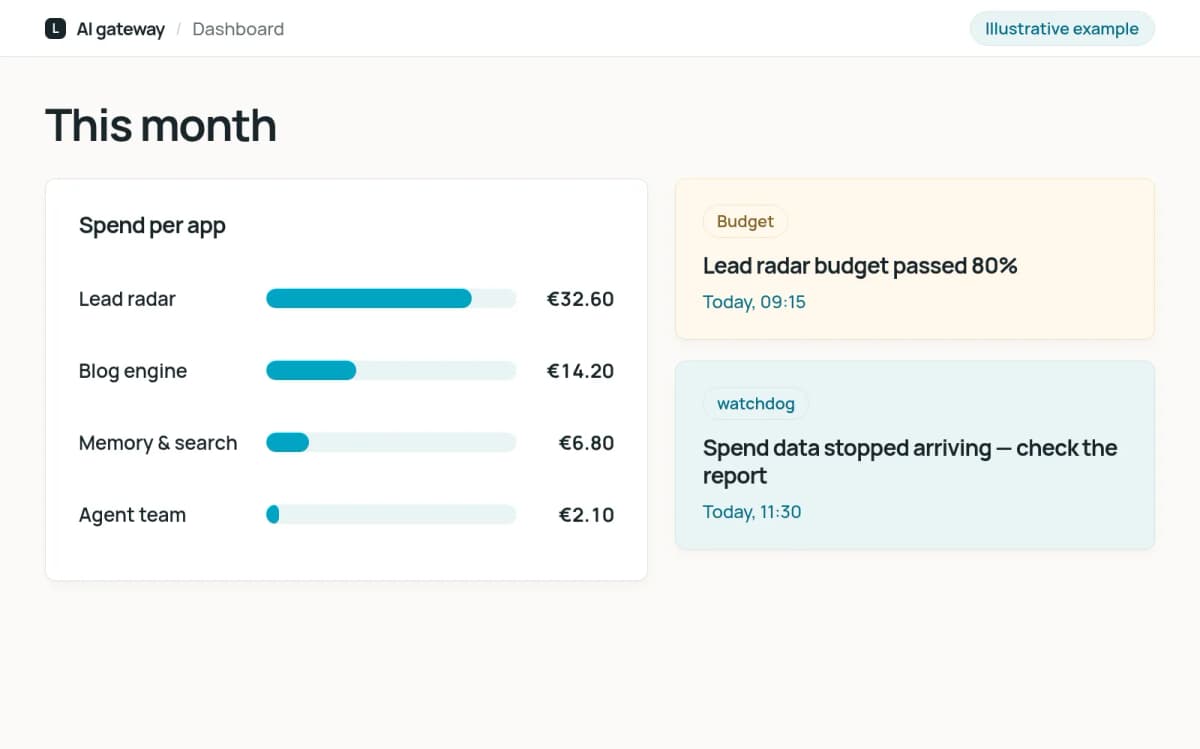
Watched and alerted
A dashboard shows spend per app and per model. An alert fires when a paid budget passes 80 percent, and another when the spend figures stop arriving, so a broken report is noticed rather than read as a quiet month.
Limits that hold
A budget is only useful if nothing gets around it. A few rules make sure nothing does:
- Keys only at the gateway. Provider keys are stored once, in the gateway. Apps get a key that only works there and only for their own models.
- No unknown models. An app can only ask for a model the gateway lists. A typo or a new model name cannot reach a provider outside every budget.
- Fallbacks follow the same rules. A fallback model must be on the app's own list. If it is not, the call fails instead of quietly landing somewhere more expensive.
- The alerting watches itself. If the spend figures stop updating, that raises an alert of its own.
What we learned
Subscription calls cost nothing per token, so we first priced them at exactly zero. It turned out that the gateway skipped the budget check entirely for a request whose first model cost zero, and that included the paid fallbacks behind it. One agent spent about twenty times its budget on fallbacks before we saw it. Now free routes carry a tiny non-zero price, so the checks always run, and we test the limits as carefully as the normal path.
What it could do for your business
An AI gateway for your company. If more than one tool or team at your company uses AI, we set up one gateway in front of them: separate keys and budgets per team or app, the providers you choose, fallbacks, and one place to see the costs. Your teams keep using their tools; the bills stop being a surprise.
AI features with a ceiling. Every AI system we build for clients runs behind the same kind of limits, so you know the most it can cost before it goes live. Read how to choose your first AI automation.
What it does not do
- It does not change what the apps can do. It decides which model answers, within the limits you set.
- It does not hide costs. Every call is recorded, including the ones that cost nothing.
- It does not let one app spend another's budget, or reach a model it is not allowed to use.
Frequently asked questions
Which AI providers can it use?
The gateway works with the major providers, including OpenAI, Anthropic and Google, as well as model marketplaces such as OpenRouter. We pick the providers per project, and switching one is a configuration change.
Does every call get slower?
The gateway adds a short hop on your own network, which is small next to the time a model takes to answer. When a provider is struggling, fallbacks usually make answers arrive sooner than waiting would.
Where does our data go?
Only to the providers you choose. The gateway runs on your infrastructure or ours, and the call log stays there. Prompts are not sent anywhere else.
Can you set one up for our company?
Yes. We start with the tools and teams that use AI today and what you spend on them, then set up the gateway, keys and limits around that. Tell us how your company uses AI and we will suggest a first step.