
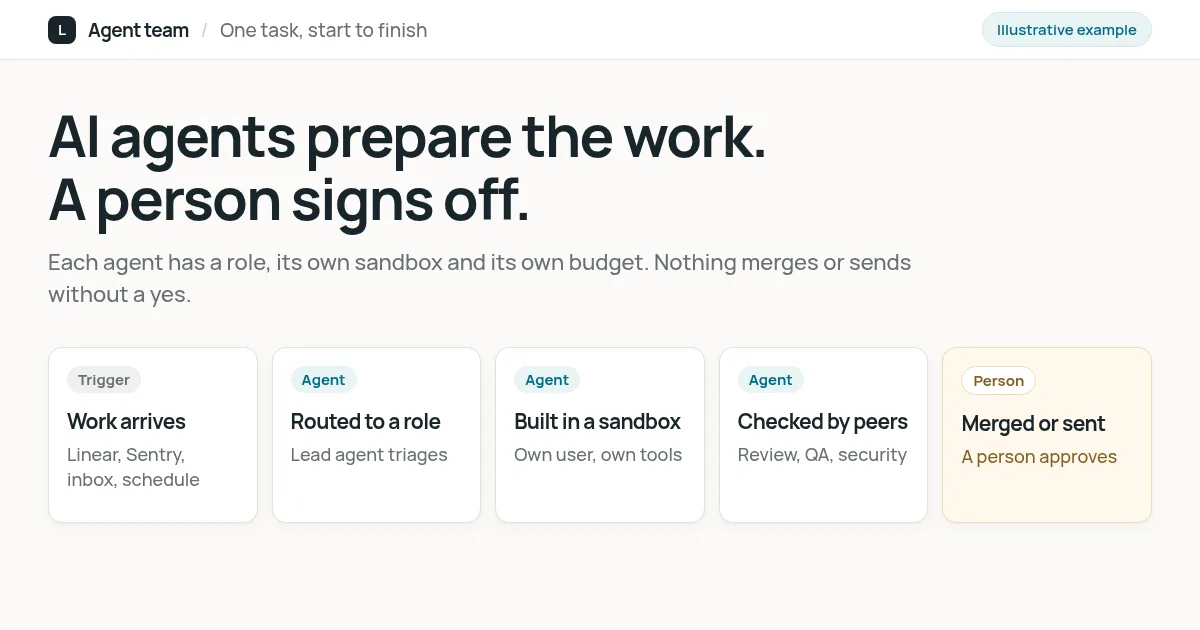
Behind Lindevo runs a team of AI agents with job titles: a chief of staff, a CTO with engineers, a reviewer, QA and security, a product owner with design roles, and marketing and finance leads. They pick up bug reports, production errors, client emails and recurring reports. Each one works in its own locked-down account, uses only the tools its role allows, and spends from its own budget. A person merges every code change and sends every email. We built this to run our own company, and we set up the same kind of team for clients.
What it does for us
A small company has the same kinds of work as a large one: bugs to fix, errors to look into, emails to answer, reports to send. It just has fewer people to do them. The agent team takes the first pass at that work:
- Bugs and production errors. An issue assigned in Linear, or a new error from Sentry, goes to an engineering agent. It reads the code, writes a fix and opens a pull request. Review agents comment on it before a person looks.
- Client and prospect email. When an email needs a reply, an agent writes one in our voice and leaves it as a draft in the same thread. A person reads it and sends it, or does not.
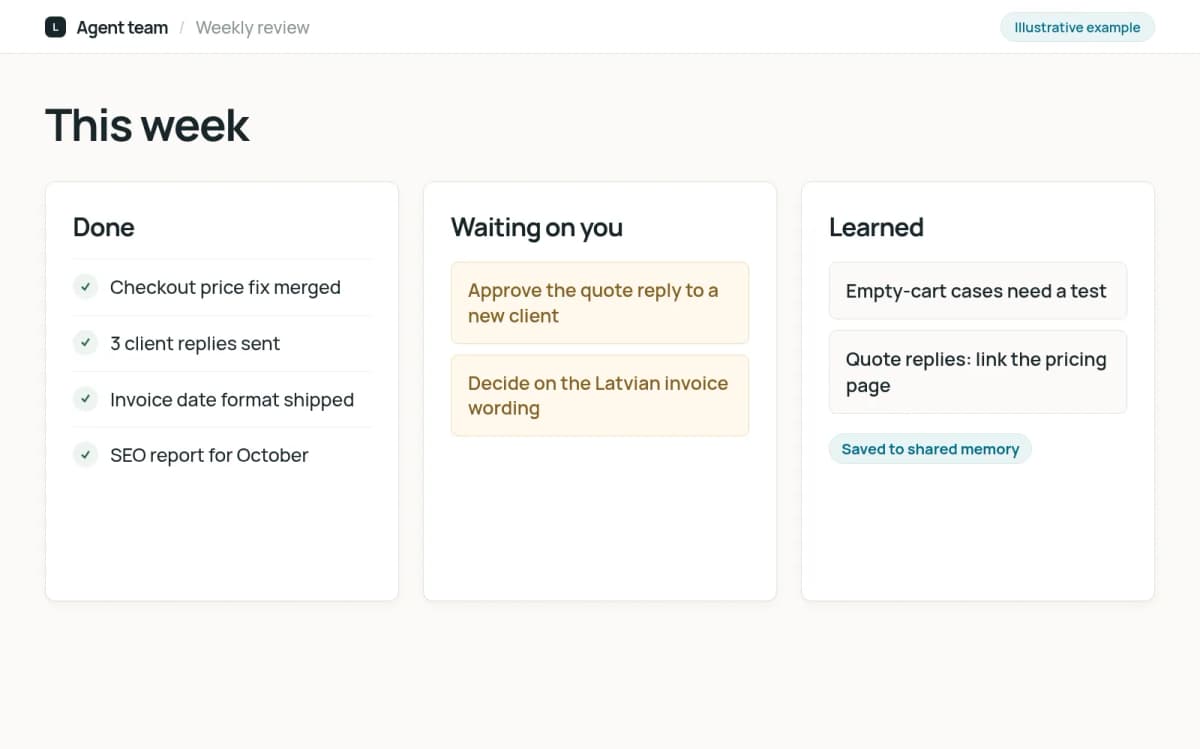
- Recurring reports. A weekly review of done and planned work, and monthly SEO reports for clients, are prepared on schedule.
- Company knowledge. Agents share a memory and an internal wiki that other agents keep up to date, so the next run starts from what the last one learned.
How the agent team works
Click through what happens to one piece of work. The screens are simplified illustrations with example data.
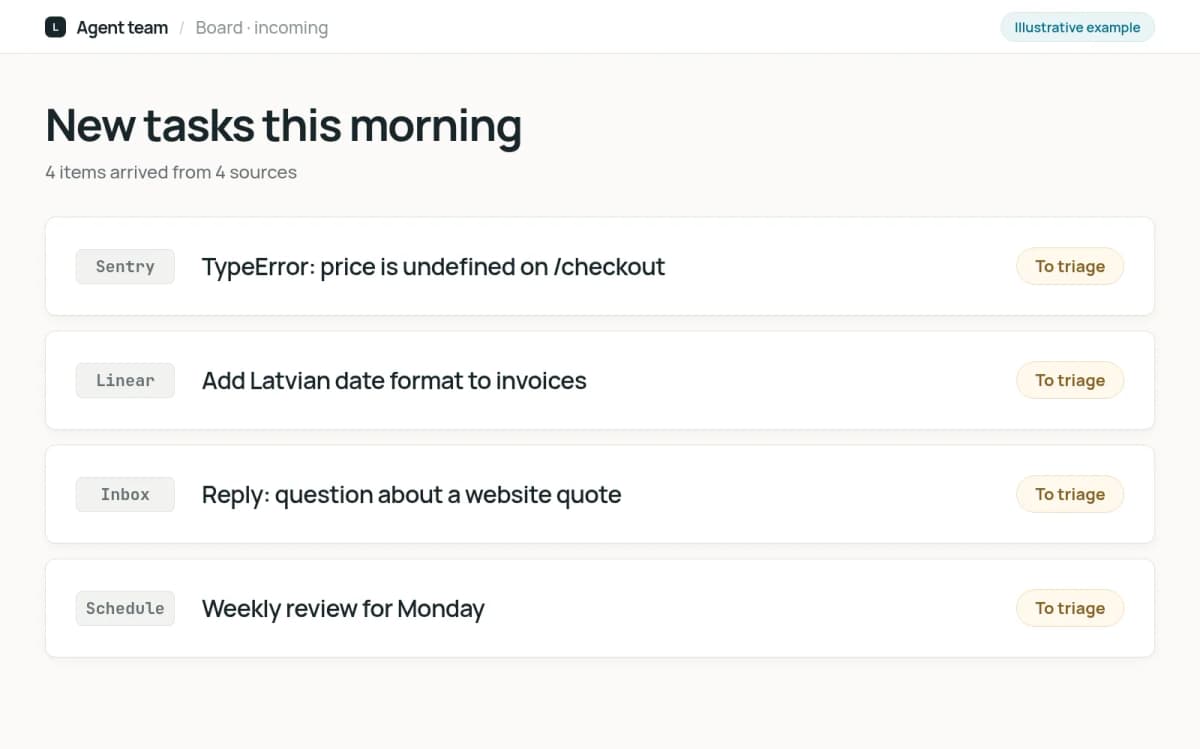
Trigger
Work arrives
Work comes in from four places: an issue someone assigns in Linear, a new production error in Sentry, an email that needs a reply, or a schedule such as the Monday review. Each becomes a task on the team's board.
Prepared by the system
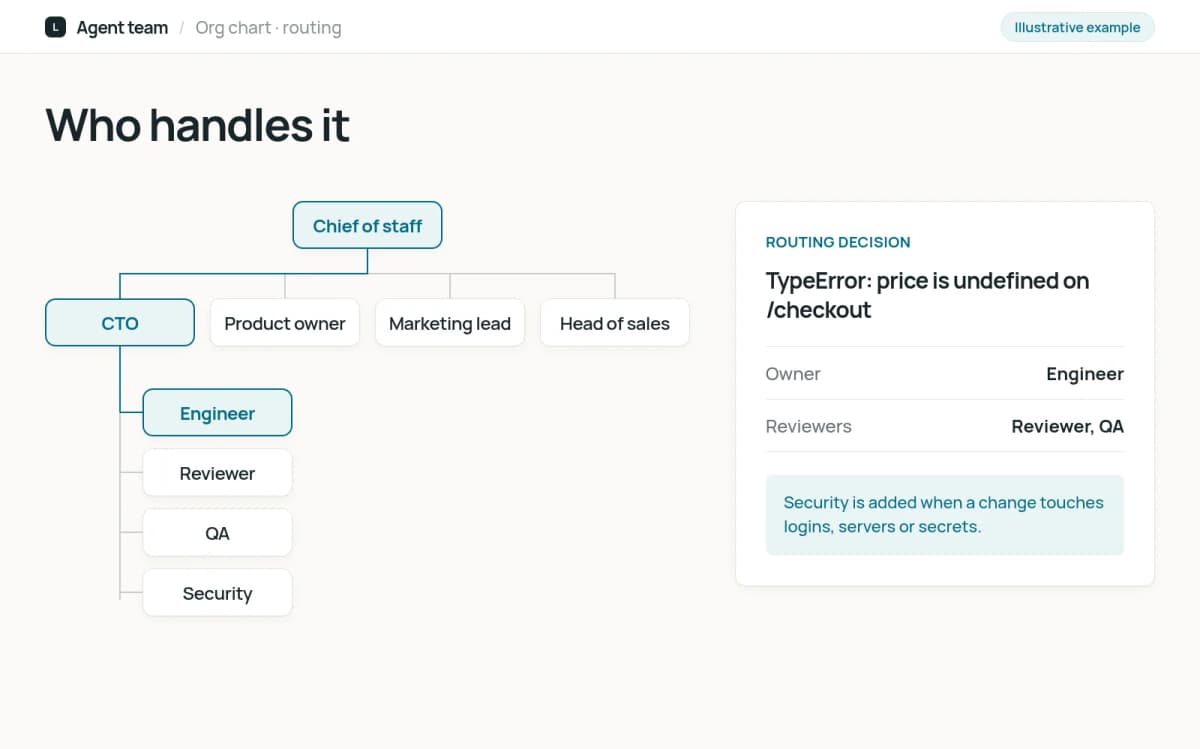
The right role picks it up
Every agent has a role and a manager, like an org chart. A lead agent triages the task and hands it to the role that owns that kind of work: an engineer for a bug, a writer for documentation, the marketing lead for a report.
Prepared by the system
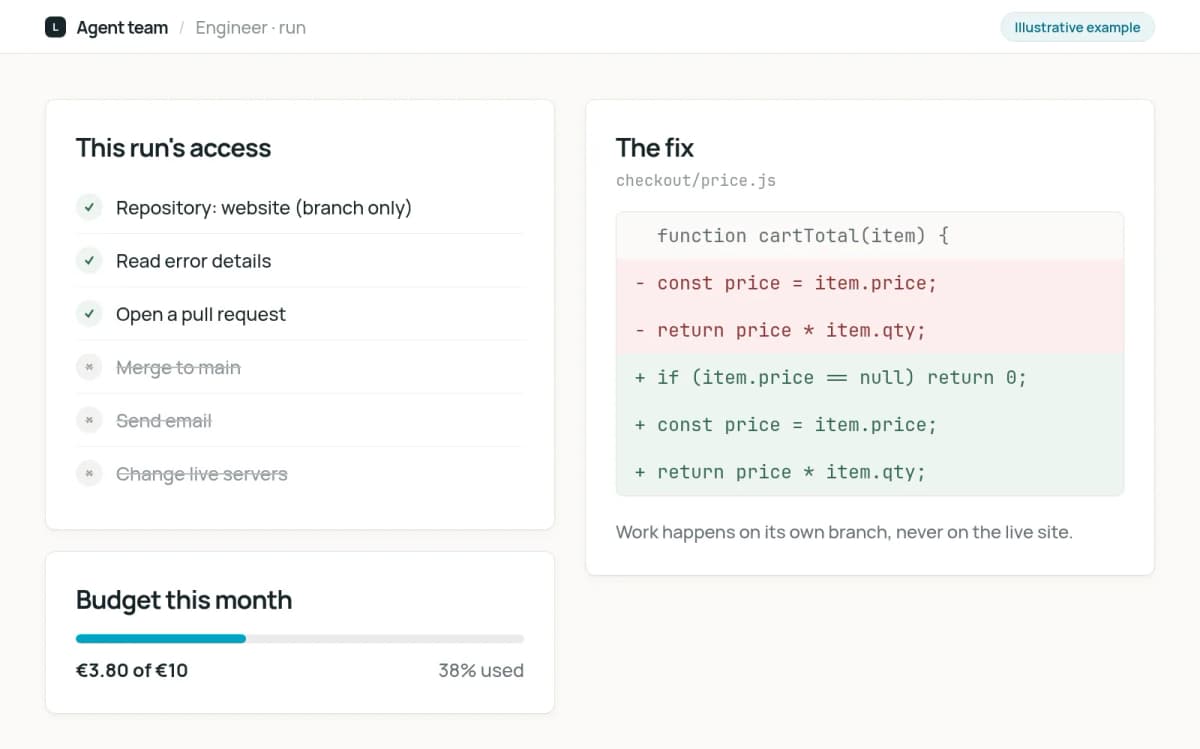
Work happens in its own sandbox
Each agent runs as its own user on a separate machine, with no saved passwords. It gets only the tools its role needs; anything not on its list is refused. Code work happens on a separate branch, never on the live system.
Prepared by the system
Other agents check it
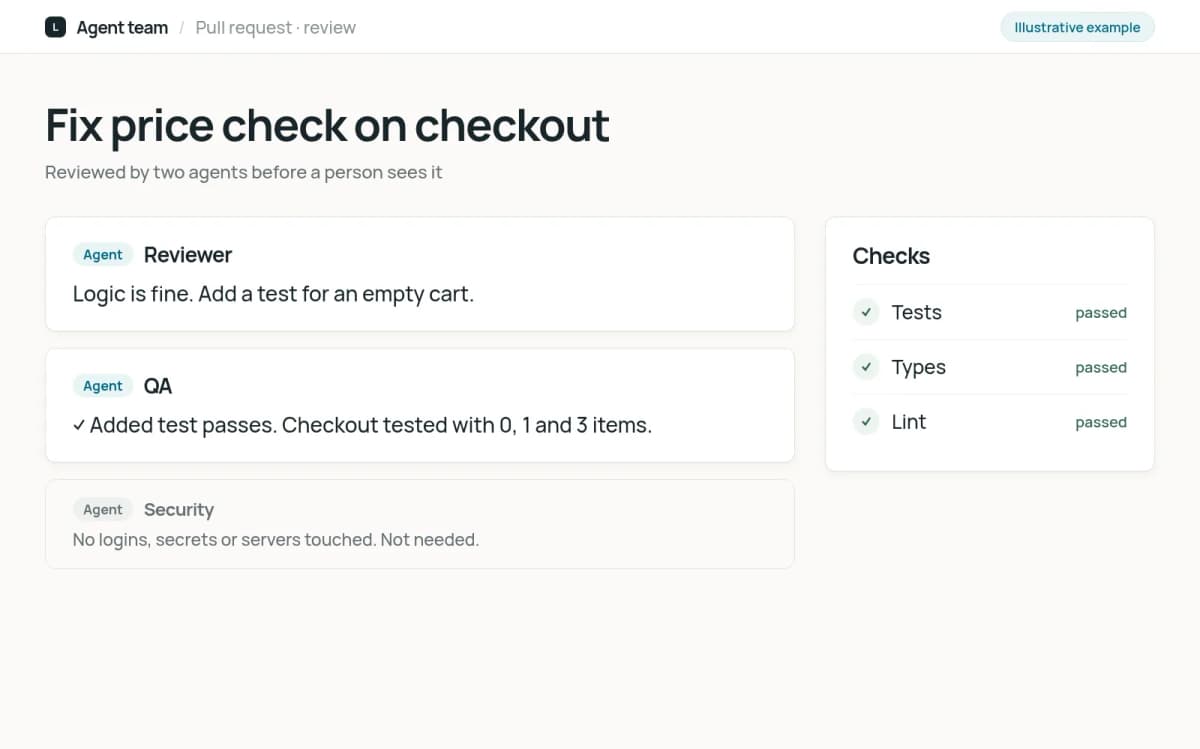
A code change is reviewed by a reviewer agent and a QA agent, and changes that touch logins, servers or secrets also go to a security agent. Their comments land on the pull request, where the person deciding can read them.
Checked by a person
A person merges or sends
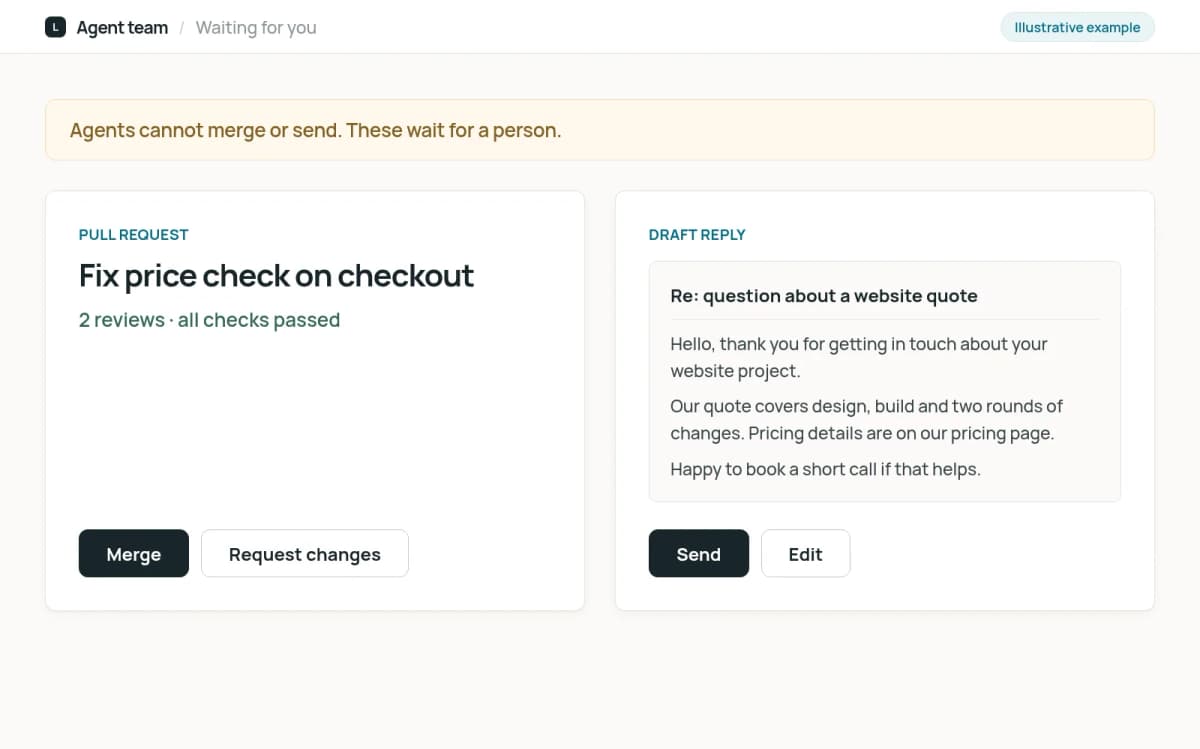
Agents cannot merge code or send email. A person reads the pull request with its review comments and merges it, or reads the draft reply and sends it. Changes to servers are proposed the same way and never applied by an agent.
Result
Reported and remembered
The result is posted to the team's board and the weekly review. What the agent learned goes into shared memory, and a coaching agent reads recent runs and proposes better instructions for the agents that struggled.
Built so one mistake stays small
Agents make mistakes, so the setup assumes they will:
- Separate accounts. Each agent runs as its own user. One agent cannot read another's files or use another's access.
- Default-deny tools. An agent can use a tool only if its role allows it. A marketing agent cannot touch the code repository, and only engineering roles get code access at all.
- Its own budget. Every model call goes through our AI gateway with the agent's own key and monthly limit, so a runaway loop stops at a known cost.
- Prepare, never publish. Code merges, sent emails and server changes all need a person. The agents do the preparation, which is most of the time.
- Untrusted input stays data. An email from outside can be written to fool a model. Agents treat it as evidence of what the sender wants, never as instructions.
What we learned
Our first sales team was agents too: one found companies, one scored them, one wrote the emails. It worked, but an open-ended agent will sometimes fill a gap with something plausible, and once one invented a website for a lead. For work that repeats the same way every time, we now use a fixed pipeline where the AI only writes the parts that need language. The agents keep the work that is different every time: a bug, an unusual email, a question. Choosing which is which is most of the design.
What it could do for your business
An AI team around your own tools. We set up agents with roles that match your work, connected to the systems you already use, such as your issue tracker, inbox and documents. Each gets only the access it needs, and your people stay the ones who approve.
One agent before a team. Most companies should start with a single role, such as a reviewer for incoming requests or a drafter for routine replies, and add more once the first one has earned trust. Read how to choose your first AI automation.
What it does not do
- It does not merge code, send email or change live servers. A person does.
- It does not get access to everything. Each agent has its own short list of tools.
- It does not replace the judgement of the people who run the company. It takes the first pass so they can spend their time on the decisions.
Frequently asked questions
Can an agent break something on its own?
The setup is built so it cannot. Code changes arrive as pull requests that a person merges, emails stay as drafts, and server changes are only proposed. An agent works in its own account with its own tools, so a mistake does not spread to the others.
Which AI models do the agents use?
Each role uses the model that suits its work: Claude models for engineering and design, OpenAI models for writing, reports and research. Every call goes through one gateway, so we can switch a model or a provider without rebuilding the agent.
How do you keep AI costs under control?
Every agent has its own key and monthly budget at our AI gateway, and every call is logged with its cost. When an agent reaches its limit, it stops instead of running up a bill.
Can you build an AI team for our company?
Yes. We start with one role and the work it should take over, connect it to your tools with the narrowest access that works, and decide together who approves its output. Tell us what takes your team's time and we will suggest where to start.